
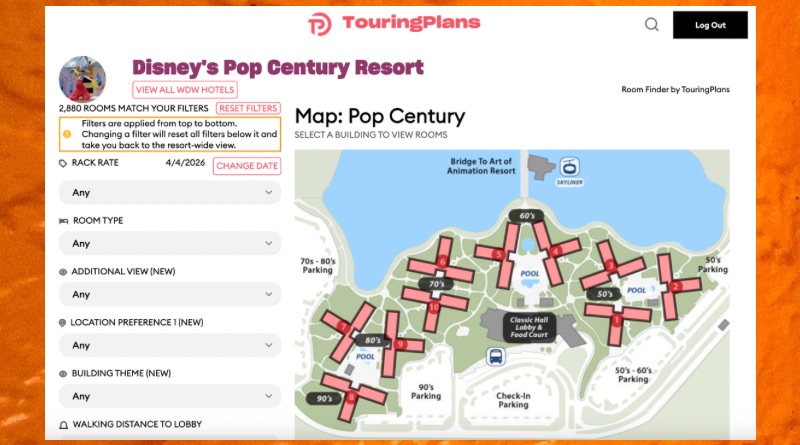
Room Finder Reminders: Views and Noise
The TouringPlans Room Finder isn’t new, but the flood of new summer discounts for Walt Disney World made us think it was time for a few reminders! If you’re looking for the best offer for your Disney summer break, I’ve linked a few recent posts that help break down what’s on offer.
Back to the room finder! Even the most rope-drop-to-fireworks family is still going to spend some time in their resort room. Even if you’re just there to shower and pass out until it’s time to lace up the Hoka’s again before sunrise, you’re paying for your room and you should get the absolute best value for your dollars. Our Room Finder can help.
A Room With a View
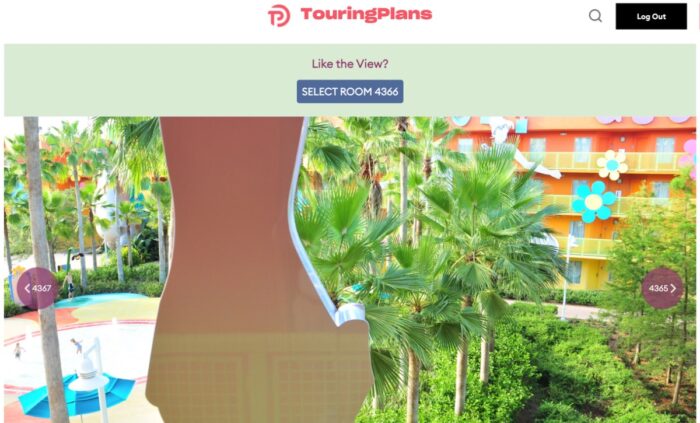
The screenshot above is what comes up when you select Room 4366 at Pop Century on our Room Finder. You can find the view from thousands and thousands of rooms at Walt Disney World on our website. This is one of the best ways to find rooms with fireworks views with a “standard room” price!

I snapped my photo a bit angled from the room to show the view if you look slightly left. It was a pretty great view but it came at a price…
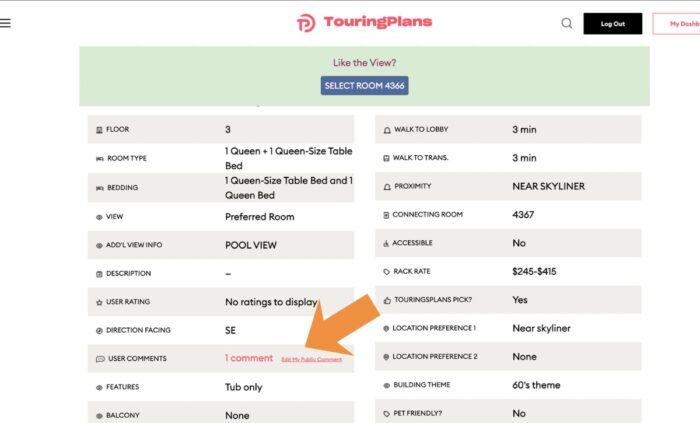
The screenshot above shows an example of the detail we provide for Disney World Resort Rooms. Maybe proximity to dining is the most important feature for your family. Lots of folks staying at Pop Century want to be close to the Skyliner and the food court. That’s where the Walk to Lobby and Location Preference filters on our Room Finder come in handy. You can see from the notes above that Room 4366 is a short walk to everything!
One thing that’s at least as important as the proximity to Mickey waffles is the noise level of your room. Part of our room testing includes checking sound levels and years of data collection has helped us know which rooms are quiet and which aren’t.
You can see from my note below that when I selected this section of rooms on our Room Request Tool, I did not filter for noise – just access to transportation and food!
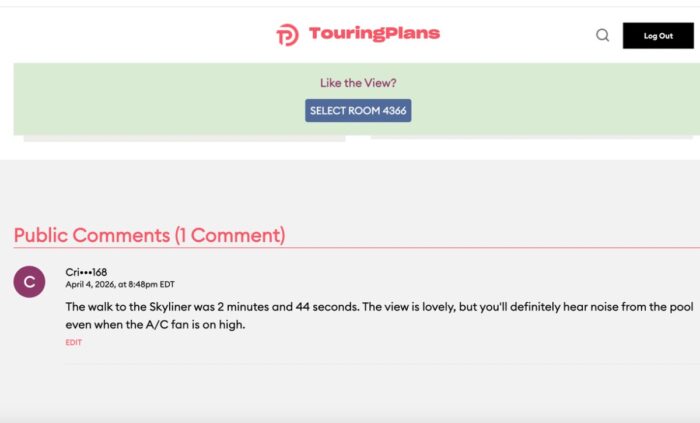
Here is how to make sure you get a room that is close to all of the good things without the noise..
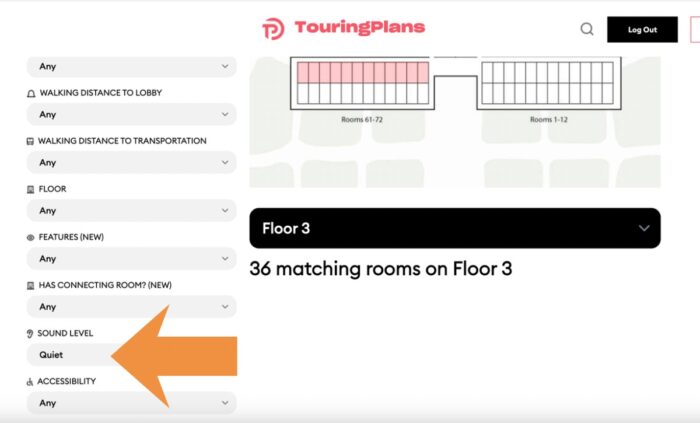
When you’re in the TP Room Finder, select “Quiet” under Sound Level when you’re setting your desired filters, and you’ll see rooms that meet your requirements in red, like the image above. You’ll be able to see how many rooms match your filters on the floor you’ve selected. While you’re clicking around, check out the views!
TouringPlans Subscribers have full access to our Room Finder, Room Request Tool, Premium TouringPlans, and our 12-Month Crowd Calendar – lots of tools to help you save time and money on your next Disney World vacation.
Have you used our Room Finder or Room Request Tools before? What did you think?
You May Also Like...
-

Today, we’ve released an update to our Disney World Hotel Room Finder, with some changes that we think you're going to…
-

Disney's Skyliner will be closed for annual refurbishment soon. If you'll be visiting Walt Disney World at the end of this…
