
My Disney Experience App Update for Park Reservations
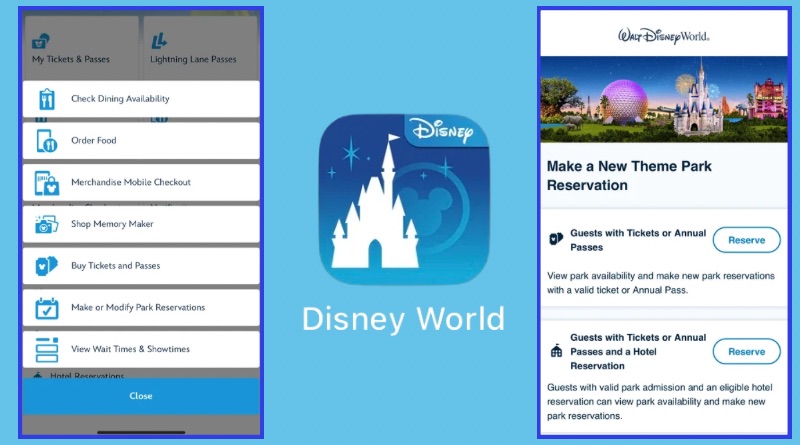
Walt Disney World theme park reservations can now be made in the My Disney Experience App (MDE) without being redirected to a website. This may sound like a small detail, but it should save a good bit of time and frustration for guests.
What’s Changed
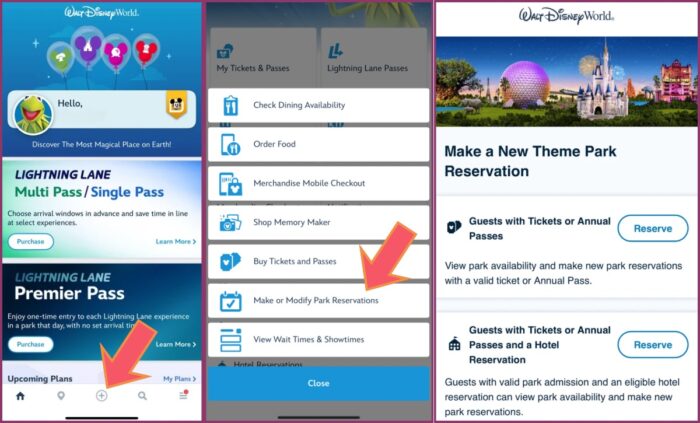
The initial process for making a theme park reservation is the same.
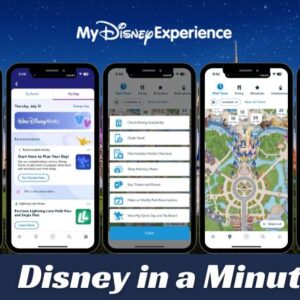
- Select the “+” button on the bottom of your MDE app as show in the far left of the image above.
- Select “Make or Modify Park Reservation
- Select “Reserve” next to the applicable condition.
- Guests with Tickets or Annual Passes
- Guests with Tickets or Annual Passes and a Hotel Reservation.
The process for Guests with Tickets or Annual Passes is just as it has been except you aren’t redirected to a website where you’ll have to enter your MDE email and password again. You’ll go straight to the reservation page to proceed as usual.
The Guests with Tickets or Annual Passes and a Hotel Reservation selection is easy to maneuver:
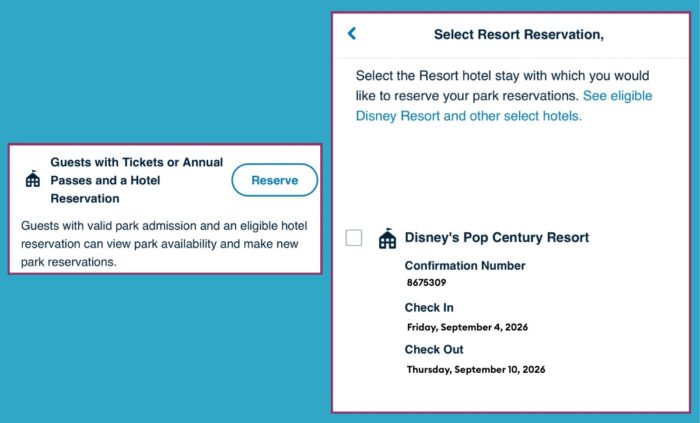
If your resort reservations are linked in your My Disney Experience app, they will show up when you click on the “Reserve” button as shown above. If not, scroll to the bottom of the “Select Resort Reservation” page and follow the link to add your reservations.
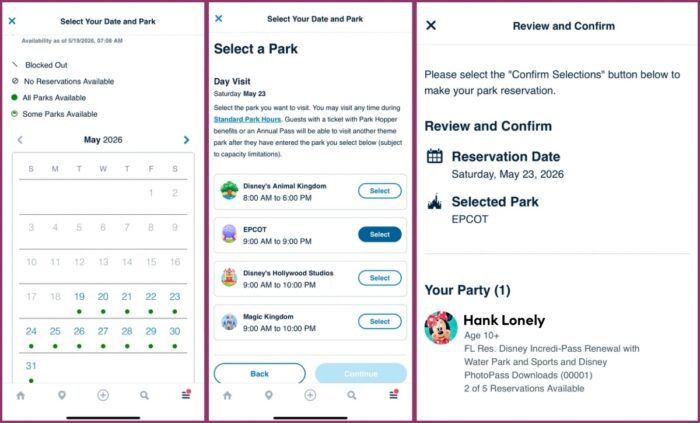
Once you’ve selected the resort reservation, the rest of the process should look familiar to anyone who has made a theme park reservation in the past. As a reminder, date-based tickets do not require a theme park reservation.
The reservation calendar will still appear showing available dates. Once you’ve selected a date, you’ll move to the “Select a Park” page. Only parks with available reservations will appear here. The confirmation page, shown above, is just the same as it has been.
A small but useful update to MDE!
You May Also Like...
-
“My Disney Experience” is Disney World's all-in-one trip planning tool. The name is a bit clunky, and you might hear people…
-
You can now price and book tickets under a few current discounts when using the My Disney Experience (MDE) app. Disney…