
How to Book a Candlelight Processional Dining Package
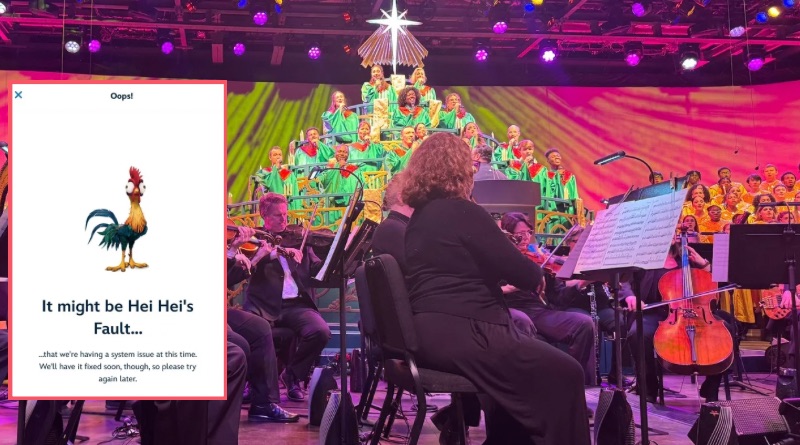
Festival of the Holidays Candlelight Processional Dining Packages opened at 6:00 AM EST today. It’s been a rough morning over on Disney’s website, but here is how to book your package.
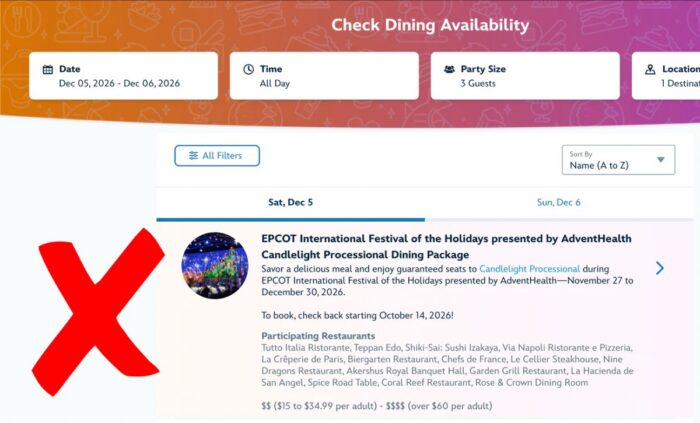
We’re 90 minutes into the booking window and Disney’s website and MDE are still showing that reservations are not yet available if you search for the Candlelight Processional Dining Package. Instead, search for the dining location you’re after.
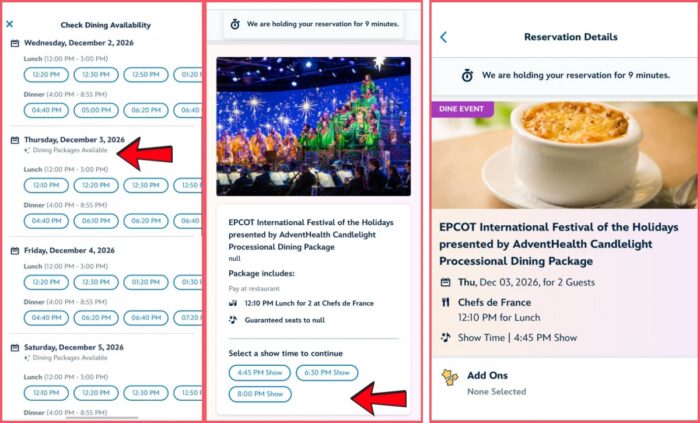
When you’re in MDE or on Disney’s website, search for your preferred dining location. You can find the full list of participating restaurants here.
Then, look for the “Dining Packages Available” note on your desired day ~see the image on the far left with the red arrow. Select your dining time.
Next, choose your Candlelight Processional show time. Once your show time has been confirmed, make sure you see a message similar to the image on the far right, above. You should see “Dine Event’ in purple along with your date, reservation time, and Candlelight Processional show time.
Don’t give up if you don’t see anything open on your date. Lots of folks make reservations at multiple locations and cancel. Good luck to you!
You May Also Like...
-

EPCOT's International Festival of the Holidays takes place November 27 (the day after U.S. Thanksgiving) to December 30, 2026. The Candlelight…
-

Attending the Candlelight Processional is a tradition for many holiday visitors to Disney World. This year's first Candlelight Processional is on…
