
Reservation Finder Returns – Locate Disney Dining Availability for Free
Need helping finding a dining reservation at Walt Disney World or Disneyland? The TouringPlans Reservation Finder can aid you in your quest!
- TouringPlans Reservation Finder for Walt Disney World (Florida)
- TouringPlans Reservation Finder for Disneyland (California)
Set up a “Search” in the Reservation Finder, and we will notify you if we find a reservation that matches your specifications.
You should initially search for reservations directly with Disney, only using the Reservation Finder to look for venues and times that you were unable to secure on your own.
The user interface is pretty simple. Here is what it looks like when you view your searches and when you define a new search:
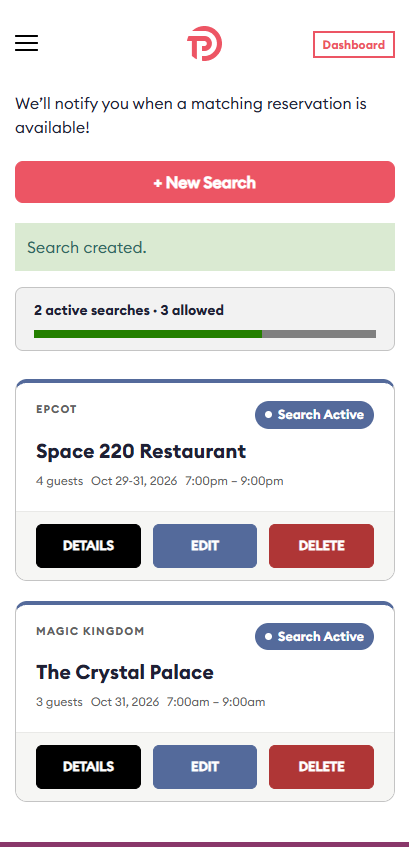
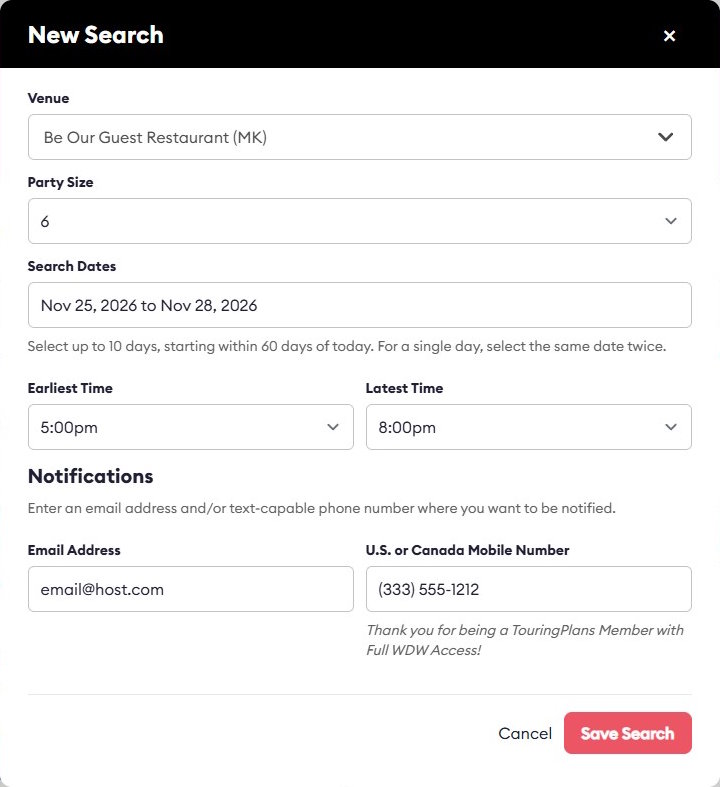
We have a long history of helping Disney guests secure the meals that they want. More than a decade ago, we provided readers of The Unofficial Guide to Walt Disney World with precise instructions on how to book Cinderella’s Royal Table efficiently by phone, including the exact time to call and the precise words to say. After Disney Dining moved to online reservations, we created our first free Reservation Finder, which helped our community secure thousands of yummy meals. That tool has been on hiatus for the past few years: dining demand has declined, Disney’s own systems are more flexible than they were in the past, and there are several paid services that can locate and/or book Disney reservations for you.
Now, our free Reservation Finder is back, joining our Room Finder, Crowd Calendar, Custom Touring Plans, Ticket Calculator, Lines apps, and other tools that can help you save time and money on your Disney adventures!
Questions and Answers
Answered below are several questions about the TouringPlans Reservation Finder:
Is the TouringPlans Reservation Finder free?
Yes! Like in the past, we operate the Reservation Finder as service to the theme parks community and to make you aware of our other time- and money-saving services. You need a TouringPlans account to use the Reservation Finder, but you do not need paid Full Access. If you do not have an account, you can create a new one here: Create a “Basic” TouringPlans Account without Full Access.
We do, of course, hope that you’ll find benefit in our full suite of tools and purchase a year of Full Access. It’s cheaper than pretty much anything you can find in a Disney gift shop!
Note that only those with Full Access (for Disney World or Disneyland, as appropriate for the reservation) can receive text message notifications from the Reservation Finder.
Can the Reservation Finder search availability for my party of 12, Bibbidi Bobbidi Boutique, tours, haircuts, dessert parties, packages that include show seating, etc.?
No. Right now the Reservation Finder only supports “normal” dining reservations for parties of 8 or fewer guests.
We may add support for additional activities, dining “packages,” or larger parties in the future. If you want to find reservations that we do not support, our friends at Thrill Data can search for such activities, and there are other third-party reservation-finding services that may also meet your needs.
How am I notified when a reservation is available?
When you set up a search, you specify an email address and/or a text message number.
When we find a reservation, we’ll send you an email or text that includes a link to Disney’s dining website, and you can follow that to search for and try to secure a reservation.
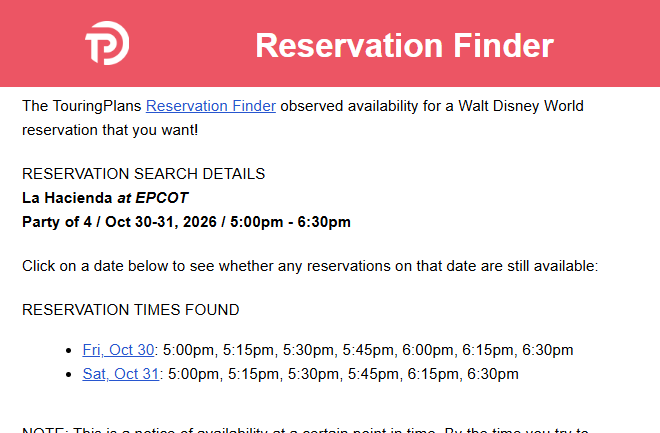
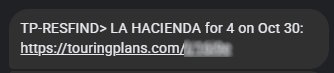
You can use any email address. Be sure that the email address is inputted correctly!
For text messages:
- We only support phone numbers associated with the U.S.A. and Canada. (Apologize to the world travellers!)
- You need Full Access (for WDW or DLR, as appropriate for the reservation) to get Reservation Finder text message notifications.
- We only use your phone number for Reservation Finder text messages. We will not sell your number or use it for any sort of marketing.
After the Reservation Finder finds a reservation, what happens?
As explained above, you receive an email or text message letting you know about the found reservation. Each message contains one or more date-specific links to Disney’s dining search site.
If you click on one of those links, you’ll go to Disney’s web site, where you’ll login (if you’re not already logged-in to Disney’s website), verify the parameters for your search on Disney’s dining site, and click Next. You will see available reservations, and with any luck you’ll see one that we notified you about. Unfortunately, someone else may have already grabbed the reservation you wanted; there is no guarantee that the reservations we find are still available when you look.
Once we find a reservation, we stop searching. If you were not able to secure a “found” reservation, you can visit the Reservation Finder and click RESTART on your search in order resume searching.
I do not like clicking RESTART. Can you keep sending me new notifications until I tell you to stop?
No. We do not want to send you more notifications until you indicate to us that you’re ready to receive them by using RESTART.
How many concurrent dining searches can I have?
Each account can have up to three active searches per destination (Disney World or Disneyland) at a time. If you have the maximum number of active searches, you cannot add another search until one of your current searches is found or deleted.
Please do not create extra accounts to try to obtain extra searches.
I am a travel agent. Can I use the Reservation Finder to find dining for my clients?
No. TouringPlans tools are for personal use only.
How can I submit feedback?
We welcome feedback. You can comment on this post, or you can use our Contact Us page to let us know what you think!
You May Also Like...
-

We've made a change to our Room Finder Tool, but fear not, it's still free! You'll need a (free) login in…
-
Many thanks to the folks who sent in their Disney Room Request screenshots yesterday! The image above shows some of the…