
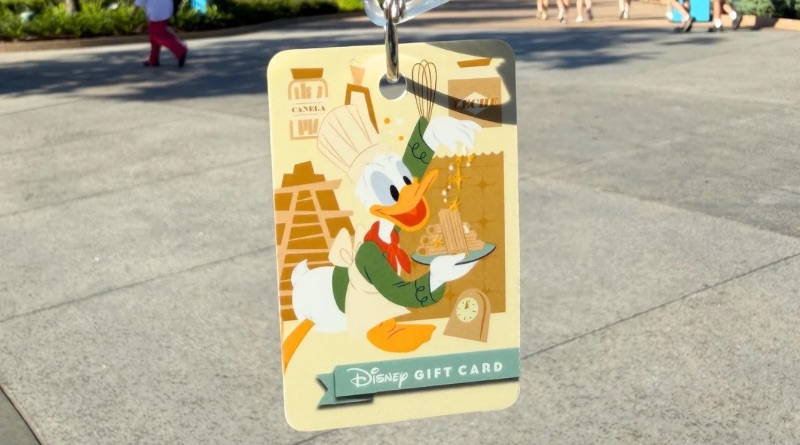
What to Know About Gift Cards at Food & Wine
Disney recently made storing and using gift cards easier in the My Disney Experience (MDE) app. We tested the process today at Food & Wine sin order to document the steps.
All of the kitchens at Food & Wine are cashless.
You’ll need a physical gift card or mobile method of payment if you want to eat and drink around Food & Wine. We’ve got lots of food recommendations right here on our blog, so have a poke around when you’re done reading!
Minimum gift card load.
There is a $15 minimum load on Disney gift cards. You can purchase a new gift card at any Disney merchandise location, including festival kiosks.
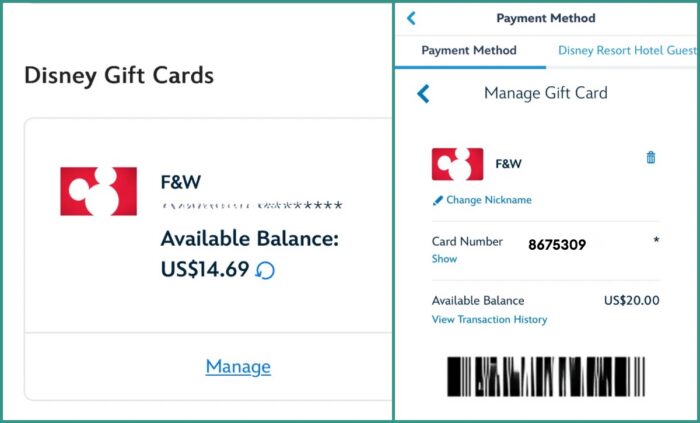
Add your card to MDE right away!
Physical gift cards can get lost, so take a moment in some air conditioning somewhere to add your new card to your MDE account. It only takes a few seconds and will make your day easier! You can find step-by-step instructions on how to add your card right here.
Use your gift card both ways.
Now for the fun part. You can use your gift card all around Food & Wine (or anywhere else in the parks!) two different ways.
- Present the physical gift card when you order food and beverage no matter which kitchen you’re visiting.
- Show your bar code attached to the gift card you want to use when it’s time to pay for your purchase.
- Enter MDE
- Tap the hamburger menu on the bottom right of the main page.
- Scroll down to MyDisney Wallet under “Account”
- Find the gift card you want to use under the “Payment Method” tab.
- Select “Manage” under your chosen card. See the image above for a visual.
- Present the Cast Member with your phone showing the attached bar code.
We confirmed today that loading your gift card onto your MDE account does not invalidate the balance on the physical card. You can switch back and forth from the physical card to the digital card on your phone as long as you have an available balance. This is another reason to keep your physical card safe along with your original receipt.
Do you use gift cards at Disney festivals?
You May Also Like...
-
Disney has simplified storing and using gift card balances. Finally! We added a few cards to the My Disney Experience (MDE)…
-
Disney California Adventure's Food & Wine Festival is back for 2025, and with it comes eight food booths and dozens of…
Thank you SO MUCH for this article!! I had been struggling to find something as clear as this on how GCs work within the new app feature specifically at festival booths. This was exactly what I needed. I was wondering, if I have the GCs loaded onto my app, can my husband access them on his phone as well if we are set up as Family members on the same trip?
Thanks again!